First-time setup
Getting online.
Four short steps. Do the first two once, and connecting after that takes seconds. If anything looks different from the pictures, message us — we're on WhatsApp.
①Connect to the Wi-Fi
1
Find both networks
Open your Wi-Fi settings. You'll see two networks — connect to whichever is stronger first, then the other:
NizamiNet - Nizami Complex — older phones & 2.4 GHz (Wi-Fi 4)
NizamiNet_5G - Nizami Complex — faster, for Wi-Fi 5 / 6 devices
📱
Older devices may only show the first one — that's fine, just use it. Newer devices should connect to both so they always pick the best band.
②Turn off "random MAC" — the important step
⚠️
Your account is tied to your device's real (permanent) MAC address. If your phone uses a randomized MAC, only one network will work — or you won't be able to log in at all. Set it to your device / permanent MAC on both networks. This is the step people most often miss.
On most Samsung / Android phones:
- Go to Settings › Connections › Wi-Fi.
- Tap the ⚙️ gear icon next to the connected network.
- Tap View more / Advanced.
- Tap MAC address type and change it from Randomized to Phone MAC / Device MAC.
- Repeat for the second network too.
On iOS / iPadOS:
- Open Settings › Wi-Fi.
- If you're not connected yet, tap Edit at the top-right.
- Tap the ⓘ More Info button beside the network.
- Tap Private Wi-Fi Address and set it to Off — not Fixed and not Rotating.
- Do the same for the other network.
🍏
On iOS, Fixed still gives a private per-network address that isn't your real MAC — so it won't work. It has to be Off.
Windows, macOS and Linux use the real hardware MAC by default, so there's usually nothing to change. If you (or your VPN / privacy app) enabled MAC randomization, turn it off for this network:
- Windows 11: Settings › Network & internet › Wi-Fi › (network) › Random hardware addresses → Off.
- macOS: Wi-Fi settings are per-network; leave Private Wi-Fi Address Off for our networks.
③Open the login page
3
Wait for the sign-in page
Right after connecting, the login page usually opens on its own, or you'll get a “Sign in to Wi-Fi network” notification — tap it. If nothing appears after a few seconds, open your browser and go to:
🔗
Or type it by hand: http://neverssl.com (with http, not https). It's a plain page that forces the login screen to pop up.
④Log in — pick your route
The login screen looks like this. What you tap next depends on who you are:
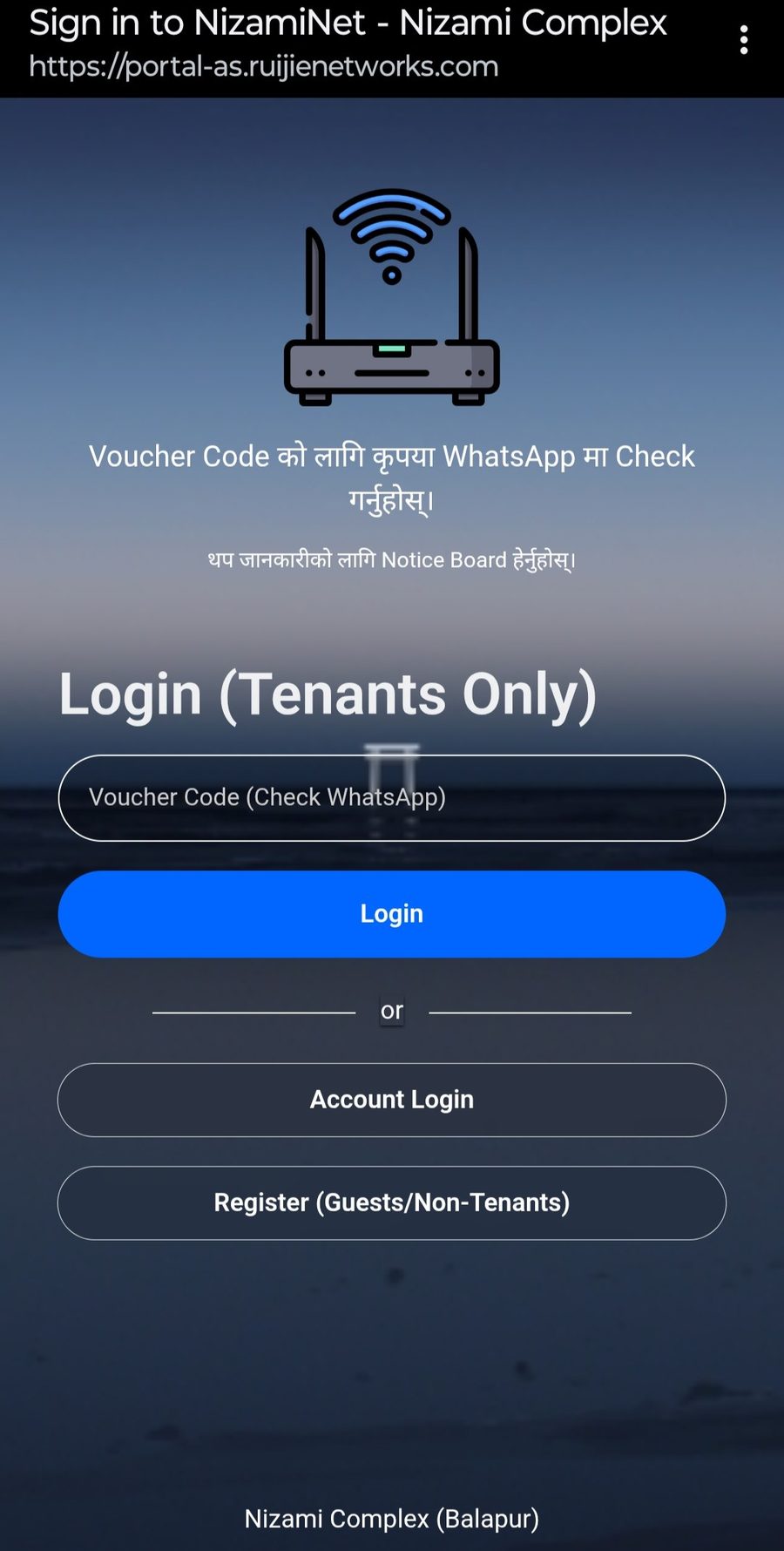
Main screen — tenants tap Account, guests tap Register.
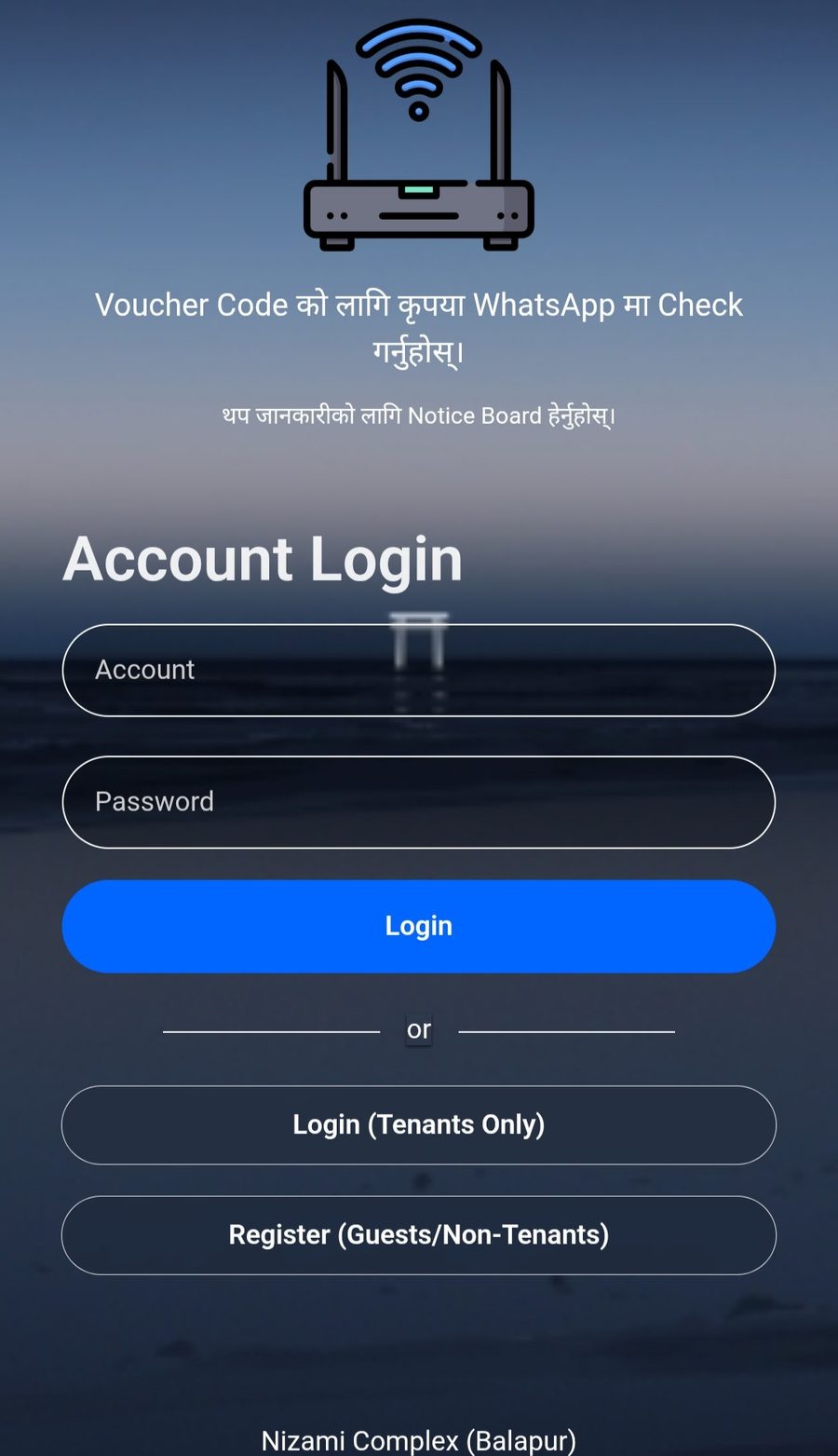
Tenants: Account — enter the username & password we sent you.
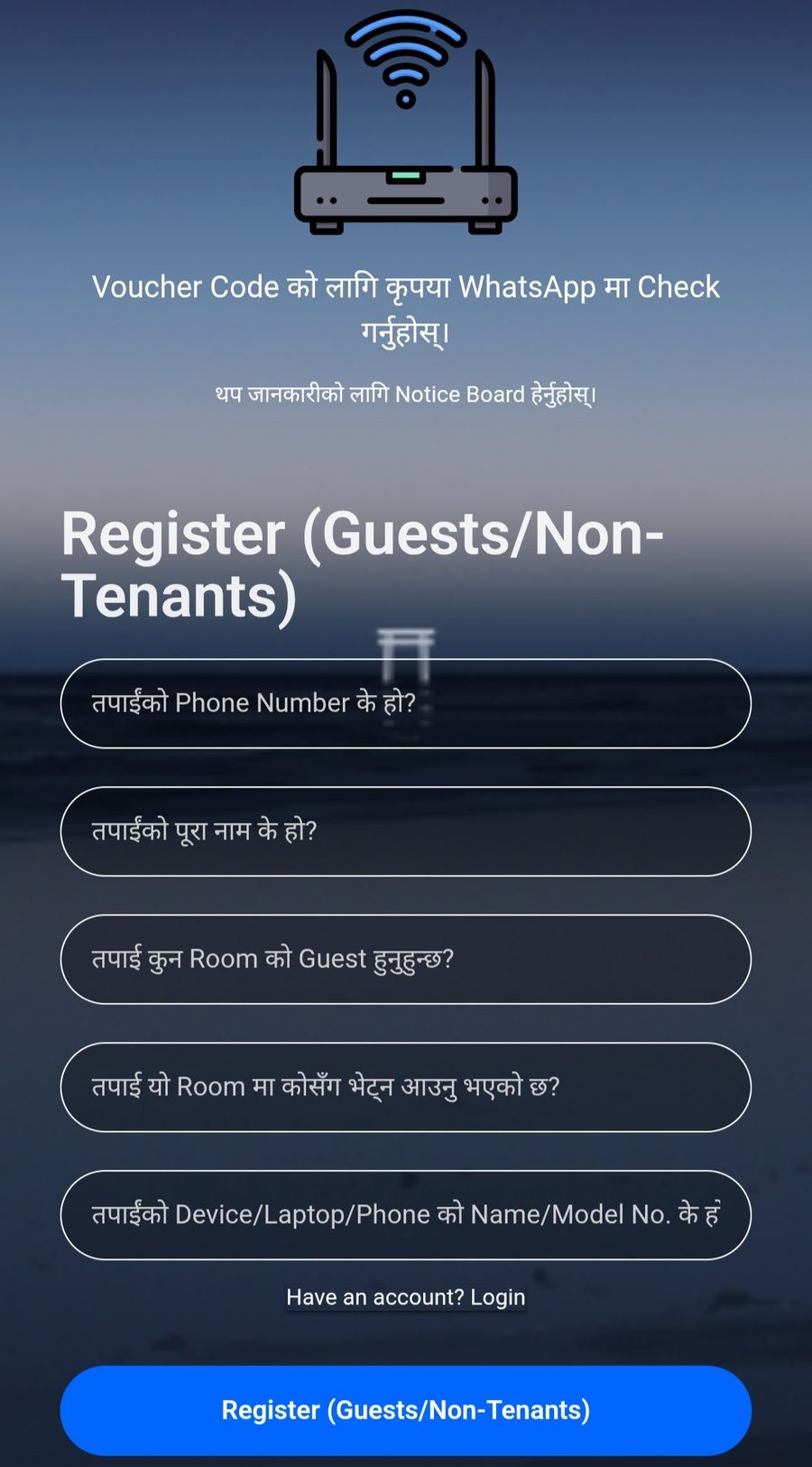
Guests: Register — fill every field correctly.
4a
Tenants → Account login
On the main screen tap Account, then enter the username and password we sent to your phone by SMS / WhatsApp, and tap Login. That's the default for tenants now — no voucher code needed.
🔑
Lost your username or password? Message us on WhatsApp and we'll resend it.
4b
Guests / visitors → Register
On the main screen tap Register and fill the form — phone number, your name, which room you're visiting, who you're visiting, and your device model. Then tap Register and you're online within a few seconds.
✍️
Fill it in honestly. Accounts registered with fake or incomplete details get disabled after a while. Not sure what your device model is? See “Find your device name” below.
⏻Logging out (when you want to)
↩
Sign out from a device
You don't have to log out — you stay signed in. But if you want to free the session (say, to log in on a different device), open this page and tap Unbind / Logout:
Or type http://lan.auth.reyee.com in your browser.
🏷️Find your device name
The Register form asks for your device model. Here's how to find it on any platform:
Device name / model
# ── Android ──  Settings › About phone › Model number / name
# ── iOS ─────  Settings › General › About › Model Name

# ── Linux ───
hostnamectl
echo "$(cat /sys/class/dmi/id/sys_vendor 2>/dev/null) \
     $(cat /sys/class/dmi/id/product_name 2>/dev/null)"

# ── macOS ───  ⌘ + Space → "About This Mac"
sysctl hw.model
system_profiler SPHardwareDataType

# ── Windows ─  Win + R → msinfo32
Get-WmiObject -Class Win32_ComputerSystem | Select-Object Model
🧩Advanced: your custom DNS token
When your account is created we text you a private DNS token (a DNS address). Setting it applies your personal ad & malware filtering and any content rules on your account. It's optional — skip it if you're not sure.
- Go to Settings › Connections › More connection settings.
- Tap Private DNS.
- Choose Private DNS provider hostname and paste the DNS token from your SMS.
- Tap Save. That's it.
iOS needs a small profile to set a custom encrypted DNS. If your SMS includes a configuration profile link, open it in Safari and install it under Settings › Profile Downloaded. Otherwise install a DNS profile app and paste your token — message us and we'll send the exact profile for your account.
PowerShell (admin)
# Windows — set DNS on your active adapter (run in PowerShell as admin).
# Replace the token with the DNS address from your SMS.
Set-DnsClientServerAddress -InterfaceAlias "Wi-Fi" \
  -ServerAddresses ("YOUR-DNS-TOKEN")

# Undo / go back to automatic:
Set-DnsClientServerAddress -InterfaceAlias "Wi-Fi" -ResetServerAddresses
Or set it in the GUI: Settings › Network & internet › Wi-Fi › Hardware properties › DNS server assignment › Edit.
🛡️
Ad & malware blocking already runs network-wide for everyone — the personal token just lets us tailor filtering to your account. No app or subscription needed.
🆘Still stuck? Tell us
Tap the closest one — it opens WhatsApp with a message half-written for you. Just fill the blanks and send.